
Best Accounting Software for Professional Services (2026)
We compared 8 accounting platforms for law firms, consultants, and agencies. See which handle trust accounting, project billing, and multi-entity books — with pricing breakdowns.
Professional services firms — law firms, accounting practices, consulting companies, architecture studios, engineering firms — run on time, expertise, and client relationships. Their accounting software should reflect that. Most doesn't.
The standard small business tools (QuickBooks, Xero, FreshBooks) were built for businesses that sell products or simple services. They track revenue, expenses, and profit. What they don't do well: track profitability by client and project, manage complex billing arrangements, handle client trust funds, recognize revenue correctly on long-term engagements, or support multi-entity structures that professional firms commonly use.
This guide covers what professional services firms actually need from their accounting software, reviews the major platforms, and helps you figure out which one fits your firm.
Why Generic Accounting Software Falls Short
It's not that QuickBooks is bad software. It's that it was designed for a different business model. Here's where the gaps show up:
No Project-Level Profitability
When a partner asks "are we making money on the Johnson engagement?" the answer should take 10 seconds, not 10 minutes of report building. Generic software tracks revenue and expenses by account category — not by client, project, or engagement. You can use classes or tags as workarounds, but they're clunky and break down when projects span multiple service lines or billing arrangements.
Time Tracking Is an Afterthought
Professional services revenue is fundamentally tied to time. Hours worked × billing rate = revenue. Generic accounting software either doesn't include time tracking or bolts it on as a secondary feature. The result: time entries live in one system, invoices in another, and matching them requires manual reconciliation.
Revenue Recognition Gets Complicated
If your firm bills retainers, works on fixed-fee engagements, or has percentage-of-completion contracts, when you record revenue matters — and it's not always when you send the invoice. ASC 606 requires recognizing revenue when performance obligations are satisfied. Generic software assumes invoice = revenue, which can misstate your financials significantly.
Client Funds Create Compliance Risk
Law firms have trust accounts (IOLTA). Accounting firms hold client tax payments. Financial advisors manage client assets. Construction companies handle retainage. If your accounting software doesn't support clean segregation and tracking of client funds, you're one oversight away from a compliance violation.
Multi-Entity Is Common but Unsupported
Many professional firms operate multiple entities: a management company, one or more operating entities, maybe a holding company or separate entities for different practice areas. Managing these in separate accounting files with manual consolidation is a monthly headache that most generic software doesn't solve.
What Professional Services Firms Actually Need
Here's the feature checklist, in order of impact:
Project and Engagement Tracking
- Revenue and expenses tracked by project/client/engagement
- Project-level P&L reports
- Budget-to-actual by project
- Work-in-progress (WIP) tracking and reporting
- The ability to see: which projects are profitable, which are underwater, and where your team's time is going
Time and Expense Management
- Time entry (by person, project, task, billing rate)
- Multiple billing rates (by person, project, client, or activity type)
- Expense capture linked to projects
- Non-billable time tracking (for utilization analysis)
- Timer functionality for real-time tracking
- Mobile time entry (because people forget if they don't log time the same day)
Billing Flexibility
- Hourly billing, fixed-fee billing, retainer-based billing, and hybrid arrangements
- Invoice customization by client
- Pre-bill editing (partners review and adjust before invoices go out)
- Progress billing for long-term projects
- Write-off and write-down tracking
Revenue Recognition
- Deferred revenue tracking for retainers and advance billing
- Percentage-of-completion recognition
- Revenue schedules that separate billing from recognition
- ASC 606 compliance
- Clear reporting on recognized vs. billed vs. collected revenue
Client Fund Management
- Separate ledgers for trust/IOLTA/escrow accounts
- Client-level sub-ledgers within trust accounts
- Three-way reconciliation (bank balance, book balance, client ledger total)
- Audit trail for every deposit, withdrawal, and transfer
- Alerts for negative client balances
Accounts Receivable
- Aging reports (current, 30, 60, 90, 120+ days)
- Collection workflows and reminders
- Cash flow forecasting based on outstanding invoices and historical collection patterns
- Realization rate tracking (billed vs. collected)
Multi-Entity Support
- Multiple entities in one platform
- Consolidated reporting across entities
- Inter-entity transaction management
- Entity-level user permissions
Reporting and Analytics
- Utilization rates by person, team, and firm
- Realization rates by person, client, and project
- Revenue per professional
- Effective billing rates vs. standard rates
- Pipeline and backlog reporting
Platform Reviews: The Major Options
QuickBooks Online Advanced
Price: ~$200/month (discounts often available for the first year)
What it does well: Time tracking is built in. Projects feature allows basic project-level tracking. Robust ecosystem of integrations. Your accountant probably already knows it.
Where it falls short: No true project-level P&L without workarounds. Revenue recognition is basic — no deferred revenue automation or percentage-of-completion. Multi-entity means separate subscriptions with no consolidation. No client trust accounting. Pre-bill editing doesn't exist.
Best for: Solo practitioners and very small firms (1–5 people) with straightforward billing. If you bill hourly, have few fixed-fee arrangements, don't handle client funds, and operate a single entity, QuickBooks Advanced is functional and familiar.
Outgrow it when: You need real project profitability, complex billing arrangements, trust accounting, or multi-entity consolidation.
Xero
Price: ~$40–$78/month per organization
What it does well: Clean interface. Strong ecosystem, especially internationally. Good project tracking add-on. Excellent bank reconciliation. Integrates well with practice management tools like Xero Practice Manager and WorkflowMax.
Where it falls short: Similar limitations to QuickBooks for professional services — no native trust accounting, no advanced revenue recognition, no multi-entity consolidation. Time tracking relies on integrated apps rather than native functionality.
Best for: Small firms that already use the Xero ecosystem or operate internationally. Firms in Australia, New Zealand, and the UK where Xero has deep market penetration.
Outgrow it when: Same as QuickBooks — increasing complexity in billing, client funds, or multi-entity needs.
Sage Intacct
Price: $15,000–$50,000+/year (depends on modules and entity count)
What it does well: Multi-entity is best-in-class for mid-market. Project accounting module covers time, expense, billing, and revenue recognition. Dimensions system allows tracking across multiple attributes simultaneously (client × project × department × partner). ASC 606 revenue recognition. Strong reporting and dashboards. Excellent audit trail.
Where it falls short: Expensive to implement ($10K–$50K+ for setup). Learning curve is steep. Interface is functional but not modern. Trust/IOLTA accounting requires customization. Overkill for firms under ~$5M revenue.
Best for: Growing firms with $5M–$100M+ revenue, multiple entities, complex project structures, and a dedicated finance team. Accounting firms that want to practice what they preach (many CPA firms use Sage Intacct themselves).
Consider carefully if: Your firm is under $5M revenue — the implementation cost and complexity may not be justified.
NetSuite
Price: $30,000–$100,000+/year (enterprise pricing, negotiable)
What it does well: Everything, theoretically. NetSuite SRP (Services Resource Planning) covers project management, resource management, time/expense, billing, and financials in one platform. Multi-entity, multi-currency, multi-subsidiary. Deep customization through SuiteScript and SuiteFlow.
Where it falls short: Complexity. NetSuite can do anything, but configuring it to do what you need requires significant implementation effort. Cost puts it out of reach for most small and mid-size firms. Support quality varies.
Best for: Large firms ($50M+ revenue) with complex, multi-national operations. Firms that need ERP-level functionality, not just accounting.
Consider carefully if: You don't have IT resources to manage the platform. NetSuite implementations that go wrong are expensive to fix.
BQE Core
Price: ~$50–$150+/user/month (varies by modules)
What it does well: Purpose-built for professional services — specifically AEC (architecture, engineering, construction) firms. Project accounting, time tracking, billing, and reporting designed around how professional services firms work. Trust accounting for law firms. Resource planning. Clean, modern interface.
Where it falls short: Multi-entity support is limited. Not as strong on the pure accounting side — some firms use BQE for project/time management and a separate platform for general ledger. Smaller ecosystem of integrations compared to QuickBooks or Xero.
Best for: Architecture, engineering, and construction firms. Law firms that want industry-specific time and billing. Firms that prioritize project management and time tracking over general accounting features.
Outgrow it when: You need robust multi-entity consolidation or your general accounting needs exceed what BQE offers natively.
Holdings
Price: Contact for pricing
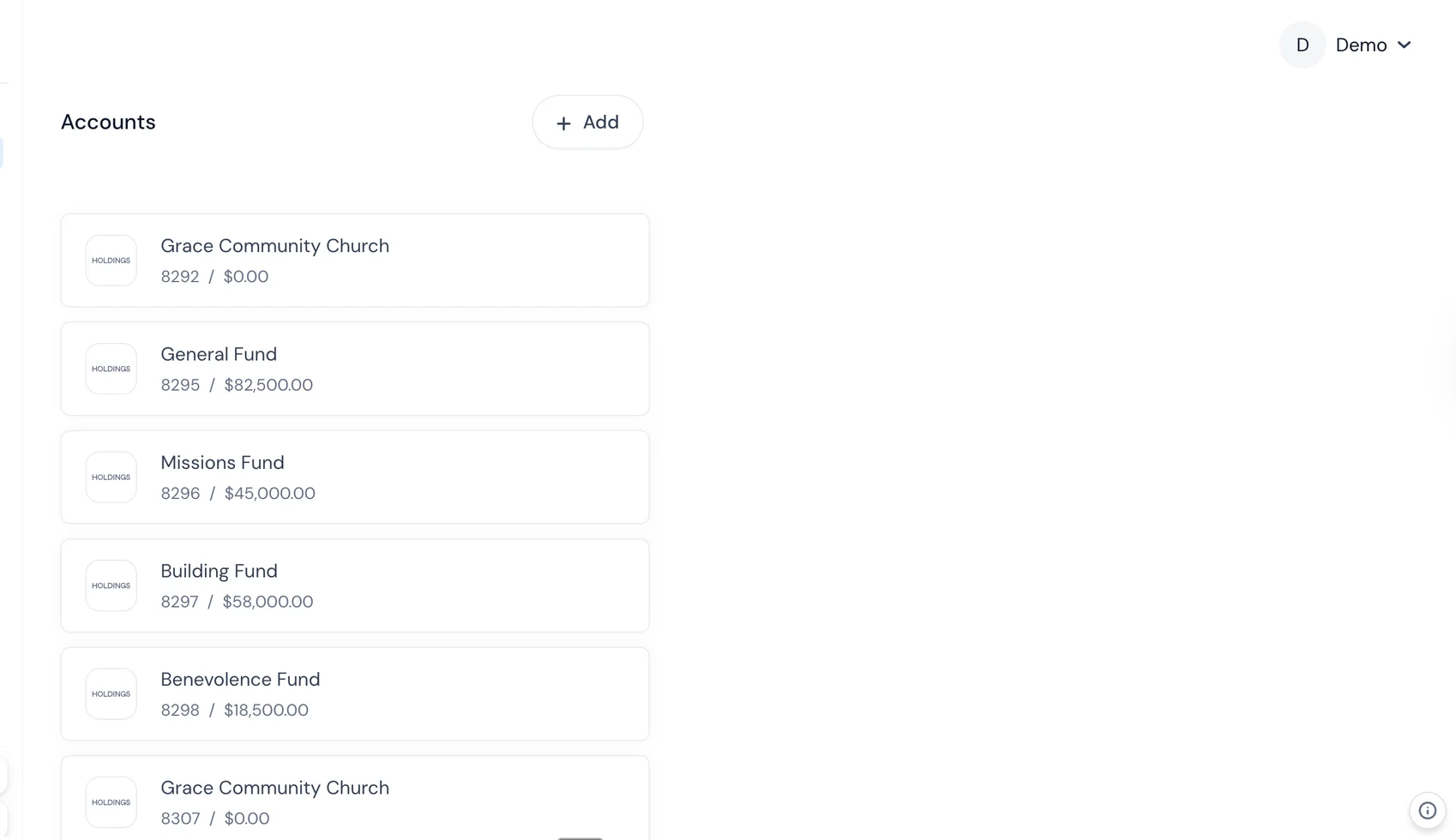
What it does well: Combines banking and accounting in one platform. Transactions flow from bank accounts directly into categorized books — no reconciliation gap. Multi-entity support with separate accounts and books per entity. Built-in project tracking. Designed for firms that want their financial infrastructure unified rather than stitched together from five different tools.
Where it falls short: Newer platform — doesn't have the decades-deep feature set of Sage Intacct or NetSuite. May not cover every edge case for very large or complex firms.
Best for: Professional services firms that want banking and accounting in one place. Firms with 2–10 entities that are tired of managing separate bank logins and accounting files. Organizations that value simplicity and integration over feature depth.
Choosing by Firm Size and Complexity
Solo Practitioner / 1–5 People
Primary need: Get paid, track time, file taxes without drama.
Recommended: QuickBooks Online or Xero. Keep it simple. Add time tracking (Harvest, Toggl) if the built-in option isn't sufficient. Graduate to something more robust when you hit $1M+ revenue or need trust accounting.
Small Firm / 5–25 People
Primary need: Project profitability, better billing, starting to need multi-user access and role-based permissions.
Recommended: BQE Core if you're in AEC or legal. Holdings if you want unified banking + accounting. QuickBooks Advanced with integrations if you want to stay in a familiar ecosystem (but know you're building workarounds).
Mid-Size Firm / 25–100 People
Primary need: Multi-entity, complex billing, revenue recognition, serious reporting, audit readiness.
Recommended: Sage Intacct if you have the budget and a finance team to run it. Holdings for firms that want a simpler approach with integrated banking.
Large Firm / 100+ People
Primary need: Enterprise resource planning, multi-entity/multi-currency/multi-subsidiary, advanced workflow automation.
Recommended: NetSuite or Sage Intacct. At this size, implementation is a major project — budget accordingly and involve your finance team in the selection process.
Making the Transition
Switching accounting software at a professional services firm is a bigger project than at a typical small business because you're also migrating project data, time records, WIP balances, and client accounts. Here's how to approach it:
Before You Switch
- Audit your current setup. What works? What doesn't? What workarounds are you maintaining? Document these — they become requirements for the new platform.
- Clean up your data. Inactive projects, stale receivables, unused chart of accounts entries. Don't migrate the mess.
- Get buy-in from your team. Especially timekeepers and billers. If the people entering time hate the new system, adoption will be painful.
- Pick a transition date. Start of fiscal year is ideal. Start of a quarter is acceptable. Mid-month is masochistic.
During the Switch
- Migrate carefully. Chart of accounts, open projects, WIP balances, AR balances, client trust balances. Double-check everything.
- Run parallel for one month minimum. Enter time and transactions in both systems. Compare outputs. Fix discrepancies before cutting over.
- Train everyone. Not a one-hour webinar — actual hands-on training with your firm's data and workflows.
After the Switch
- Keep the old system accessible. Read-only access for at least two years. You'll need historical data for audits, tax questions, and client inquiries.
- Review after 90 days. Is the new system delivering what was promised? Are there issues that need vendor support? Is the team actually using it?
- Optimize. Most firms use 30% of their software's capabilities in the first year. Schedule quarterly reviews to implement features you haven't gotten to yet.
The Bottom Line
The right accounting software for a professional services firm isn't the one with the most features — it's the one that matches your firm's complexity, your team's technical comfort, and your budget (including the hidden costs of workarounds and implementation).
If you're small and simple, don't overcomplicate it. If you're growing and starting to feel the pain of manual consolidation, workaround-based fund tracking, or disconnected systems, invest in something purpose-built. The cost of good software is almost always less than the cost of the time your professionals spend fighting with bad software instead of serving clients.
Frequently Asked Questions
What accounting software do most law firms use?
Most law firms use either QuickBooks Online with a legal-specific add-on, Clio Manage (which includes basic accounting), or specialized platforms like LEAP or CosmoLex that combine practice management with trust accounting.
Do professional services firms need industry-specific accounting software?
Not always, but generic software often falls short on project profitability tracking, time-based billing, and trust fund management. Firms billing over $500K annually typically benefit from specialized tools.
What is trust accounting and which firms need it?
Trust accounting tracks client funds held in escrow or trust, kept separate from the firm operating funds. It is legally required for law firms in all US states and common for real estate firms, CPAs, and financial advisors.