
How to Reconcile a Business Bank Account (And Why Most Businesses Don’t Until It’s Too Late)
Bank reconciliation catches fraud, errors, and missing transactions before they become problems.
Bank reconciliation is the process of matching your accounting records to your bank statement to make sure they agree. It's the financial equivalent of checking the receipt against what's in the bag — and most businesses skip it until something goes wrong.
Here's how to do it, why it matters, and how modern tools can automate most of it.
Why Reconciliation Matters
It catches fraud. An unauthorized charge for $47 is easy to miss in a long transaction list. Reconciliation surfaces every transaction that doesn't match — including ones that shouldn't be there. The median small business fraud loss is $150,000 according to the Association of Certified Fraud Examiners. Most of those cases could have been caught months earlier with regular reconciliation.
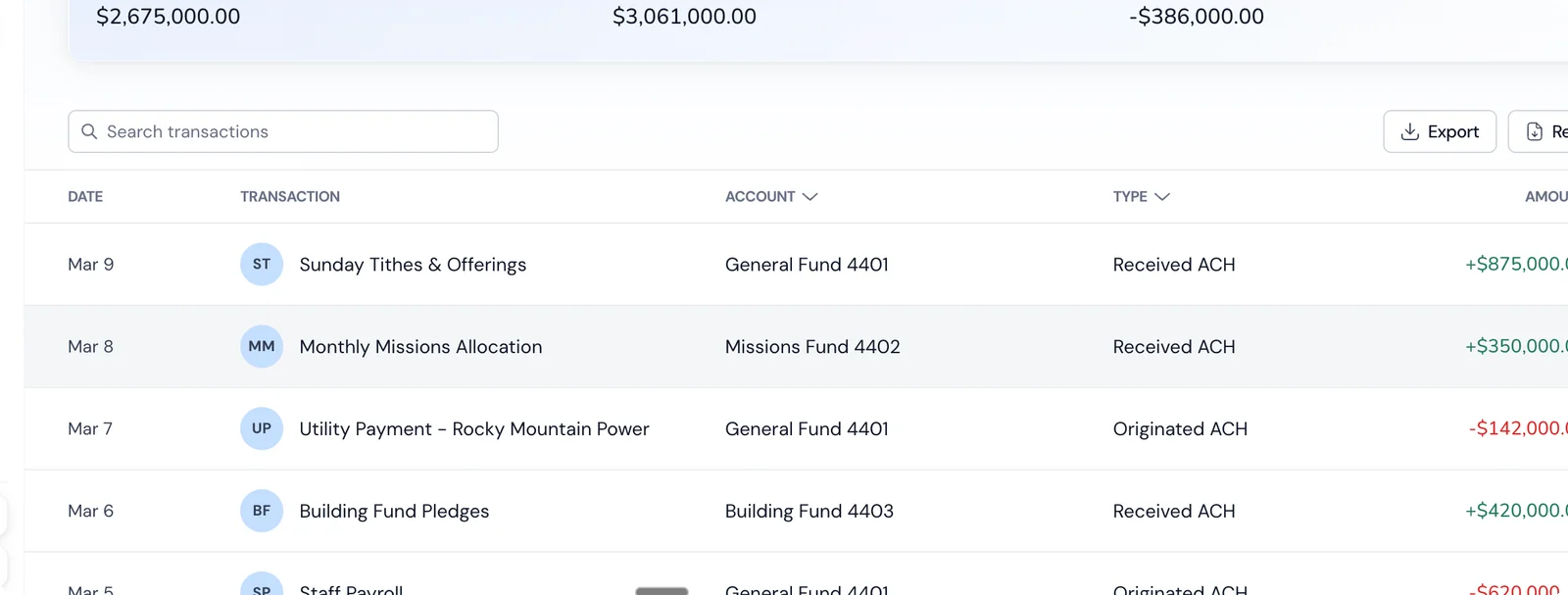
It catches errors. Duplicate charges, payments applied to the wrong vendor, deposits that didn't clear — these happen more often than you'd think. Reconciliation catches them within 30 days instead of at tax time.
It catches missing transactions. A vendor check that was never cashed, a client payment that was deposited but never recorded in your books — reconciliation reveals the gaps.
It keeps your financial statements accurate. Your P&L and balance sheet are only as reliable as the data behind them. If your books don't match your bank, your financial reports are wrong — and you're making business decisions based on bad data.
Your accountant needs it. Come tax time, your CPA will ask if your books are reconciled. If they're not, expect to pay for the hours it takes them to clean it up. At $150–$300/hour for a good CPA, a few hours of cleanup work costs more than a year of doing it yourself monthly.
The Manual Process (Step by Step)
Step 1: Gather Your Documents
- Your bank statement for the period (usually monthly)
- Your accounting records for the same period (general ledger or transaction report)
Step 2: Compare Ending Balances
Start with the ending balance on your bank statement and the ending balance in your accounting records. If they match, congratulations — you're reconciled. (This almost never happens on the first check, which is exactly why this process exists.)
Step 3: Check Off Matching Transactions
Go through each transaction on your bank statement and find the corresponding entry in your accounting records. Mark each match.
- Deposits: Match each bank deposit to a recorded revenue entry
- Withdrawals: Match each bank withdrawal to a recorded expense
- Transfers: Match internal transfers between accounts
Pro tip: Sort both lists by amount, not date. It's faster to find a matching $847.50 in a list sorted by amount than to scan chronologically for it.
Step 4: Identify Discrepancies
After matching everything you can, you'll have items left over in one or both lists:
In your bank statement but not in your books:
- Bank fees you forgot to record
- Interest income earned
- Automatic payments you didn't enter
- Unauthorized transactions (potential fraud)
In your books but not in your bank statement:
- Outstanding checks (written but not yet cashed)
- Deposits in transit (recorded but not yet cleared)
- Errors in your books (wrong amount, duplicate entry)
A Real Example: Finding the $450 Difference
Let's walk through an actual reconciliation. Your bank statement shows an ending balance of $42,300. Your accounting records show $41,850. The difference is $450. Where is it?
Start by checking off matching transactions. After matching, you find these unmatched items:
On the bank statement but not in your books:
- $35.00 monthly bank service fee (March 31) — you forgot to record it
- $12.50 in interest earned (March 31) — auto-posted by the bank, not in your books
In your books but not on the bank statement:
- Check #1047 to Office Depot for $215.00 — written March 28, not yet cashed
- ACH payment to your web hosting provider for $89.00 — initiated March 30, cleared April 1
- A $198.50 client deposit recorded March 31 — deposited late in the day, posted April 1
Now reconcile:
| Amount | |
|---|---|
| Bank statement ending balance | $42,300.00 |
| Minus: Outstanding check #1047 | –$215.00 |
| Minus: ACH in transit | –$89.00 |
| Minus: Deposit in transit | +$198.50 |
| Adjusted bank balance | $42,194.50 |
| Amount | |
| Book balance | $41,850.00 |
| Plus: Interest earned (not recorded) | +$12.50 |
| Minus: Bank fee (not recorded) | –$35.00 |
| Plus: Client deposit in transit | +$198.50 |
| Wait — let's recalculate... |
Actually, let's simplify. The adjustments that bring both balances to agreement:
- Add to your books: $12.50 interest income, –$35.00 bank fee
- Reconciling items (timing): $215 outstanding check, $89 ACH in transit, $198.50 deposit in transit
After recording the bank fee and interest in your books, and noting the timing items, both adjusted balances match. That $450 difference came from a combination of a bank fee, interest income, and three transactions that were in transit at month-end. Each one is explainable and normal.
Step 5: Make Adjustments
- Add missing transactions to your books (bank fees, interest, auto-payments you forgot)
- Investigate any transactions that can't be matched — this is where you find fraud and errors
- Record outstanding checks and deposits in transit as reconciling items (these will clear next month)
- Correct any errors found (wrong amounts, duplicate entries)
Step 6: Verify
After adjustments, your adjusted book balance should equal your adjusted bank balance. If it doesn't, you missed something. Go back and check.
Step 7: Document
Save or print the reconciliation with the date completed, who performed it, and notes on any adjustments made. This is your audit trail. If you're ever audited, the IRS or an external auditor will want to see reconciliation records. A consistent monthly cadence demonstrates financial controls.
How Long It Takes
| Situation | Time Per Account |
|---|---|
| Up-to-date books, under 50 transactions/month | 15–20 minutes |
| Up-to-date books, 50–200 transactions/month | 30–45 minutes |
| Up-to-date books, 200+ transactions/month | 45–90 minutes |
| Books are one month behind | 1–2 hours |
| Books are several months behind | 3–8 hours per month of backlog |
| Using software with bank feed | 5–15 minutes |
| Using platform with built-in accounting | Near-zero (auto-reconciled) |
The Modern Approach: Automated Reconciliation
Manual reconciliation made sense when bank statements arrived once a month on paper. In 2026, most of this can — and should — be automated.
Level 1: Accounting Software + Bank Feed
Connect QuickBooks, Xero, or similar software to your bank account via a bank feed (usually through Plaid or a direct API connection). Transactions import automatically — typically once daily — and the software suggests matches based on amount, date, and payee.
What it actually does:
- Pulls transactions from your bank into your accounting software (usually with a 1-day delay)
- Auto-matches bank transactions to entries you've already recorded
- Suggests categories for new transactions based on past patterns
- Flags unmatched items for your review
What still needs human review:
- Transactions the software couldn't auto-categorize (new vendors, unusual amounts)
- Split transactions — a single payment that covers multiple expense categories
- Transfers between your own accounts (software sometimes records these as income/expense instead of transfers)
- Reconciling items from the prior month — did that outstanding check finally clear?
- Any transaction flagged as "potential duplicate" — the software is cautious, and sometimes two legitimate transactions look similar
This reduces monthly reconciliation from 30+ minutes to about 10 minutes of review. The software does the matching; you do the judgment calls.
Level 2: Banking Platform with Built-In Accounting
When your bank account and your accounting system are the same platform, every transaction is recorded and categorized the moment it clears. There's no sync delay, no disconnected feed, and no matching step — because the transaction only exists in one place.
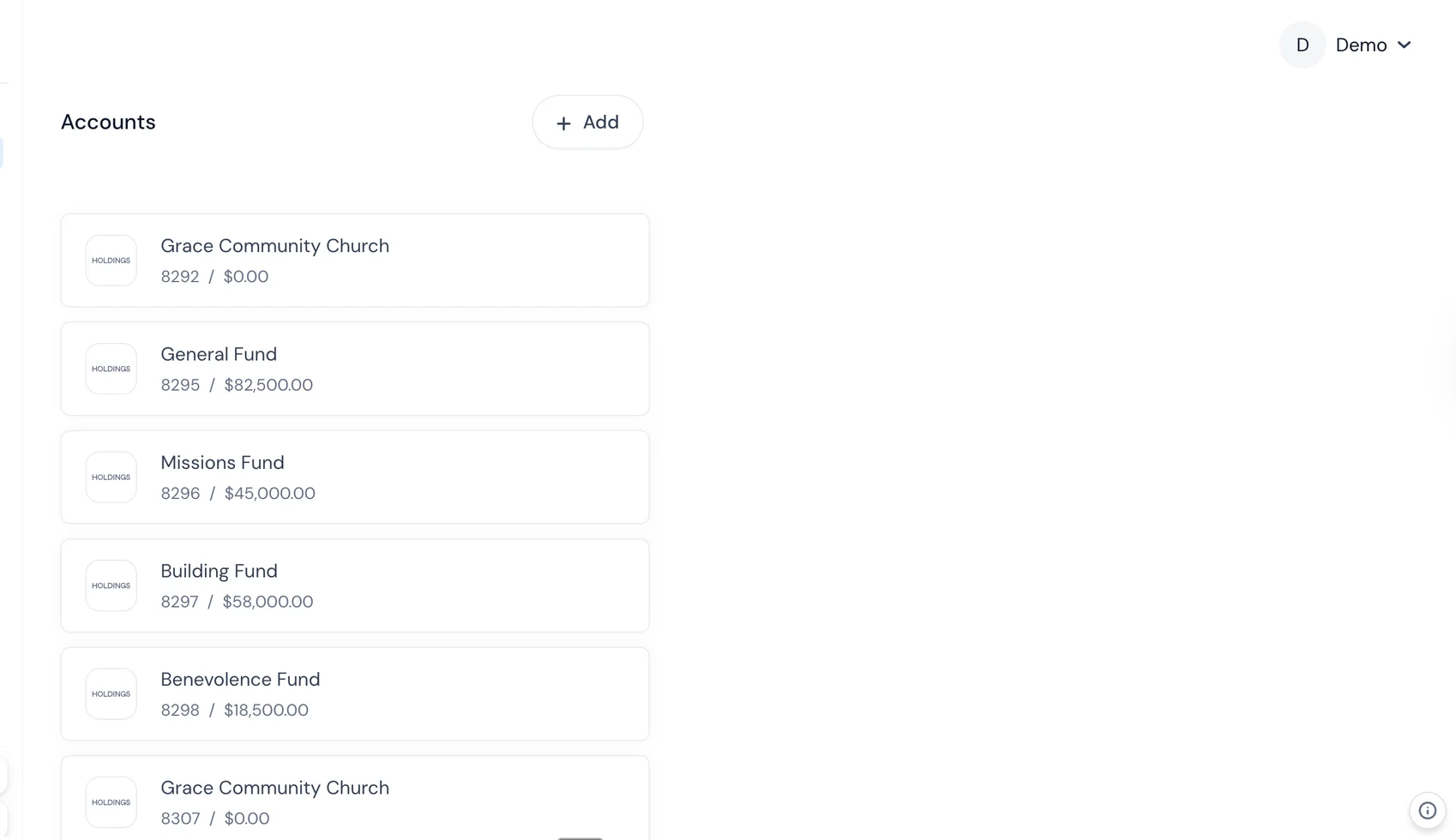
What this eliminates entirely:
- Bank feed sync errors (the #1 cause of reconciliation headaches in QuickBooks/Xero)
- Duplicate transactions from overlapping imports
- Missing transactions due to feed disconnections (Plaid connections break more often than you'd like)
- The entire concept of "pending" transactions that exist in your bank but not your books
What still needs attention:
- Category accuracy — auto-categorization is good but not perfect. A charge at "AMZN*123ABC" might be office supplies or might be a personal purchase on the wrong card. You still need to glance at categories monthly.
- Manual journal entries — if you're accruing revenue, recording depreciation, or making any entry that doesn't correspond to a bank transaction, you still do that manually.
- Year-end adjustments — your CPA may need to book adjusting entries for prepaid expenses, accrued liabilities, etc.
Reconciliation goes from a monthly task to a continuous, automatic process. Your books match your bank by default, and your monthly "reconciliation" is really just a 5-minute sanity check.
Common Reconciliation Problems (And Fixes)
Your balance is off by a round number ($100, $500, $1,000)
Likely a completely missing transaction. Check for an expense or deposit in exactly that amount that didn't get recorded. Common culprits: a vendor payment you made but forgot to enter, a bank fee that auto-debited, or a client payment you deposited at the ATM but didn't record.
Real scenario: Your books are $500 short. You search your bank statement for $500 and find a quarterly insurance premium auto-deducted on the 15th. You set it up six months ago and forgot to create a recurring entry.
Your balance is off by a number divisible by 9
Classic sign of a transposition error. You entered $540 instead of $450, or $1,350 instead of $1,530. The difference between transposed digits is always divisible by 9. Check your entries for amounts near the discrepancy.
Real scenario: You're off by $72. Look for entries where you might have swapped digits: $810 entered as $180 (difference: $630 — nope), $294 entered as $249 (difference: $45 — nope), $397 entered as $379 (difference: $18 — closer), $486 entered as $468 (difference: $18)... or perhaps $280 entered as $208 ($72 — that's it). You find you recorded a software subscription as $208 when the actual charge was $280.
Duplicate transactions
You recorded a payment twice, or the bank feed imported a transaction that you'd already entered manually. This is the #1 problem with bank feeds — you enter a bill payment manually, then the bank feed imports it, and now the expense shows up twice.
Real scenario: Your books show you paid your web developer $2,500 twice in March. You only made one payment. The first entry was your manual recording when you initiated the payment. The second was the bank feed auto-importing the same transaction when it cleared. Delete the duplicate, and make a rule: either enter transactions manually OR let the bank feed do it. Not both.
Timing differences at month-end
A payment initiated on the 30th might not clear until the 2nd. A deposit made on the last day might not post until the next month. ACH transfers, in particular, often take 1–3 business days.
Real scenario: You sent a $3,200 ACH payment to a vendor on March 29 (Friday). Your books show it in March. The bank processed it on April 1 (Monday). The bank statement shows it in April. This is a normal reconciling item — note it, and it'll clear itself next month.
Recurring charges you don't recognize
This is why reconciliation catches fraud. A $9.99 monthly charge from a service you never signed up for. A $47 charge to a vendor you've never heard of.
Real scenario: You find a $19.99/month charge labeled "DGTL*PREMIUM" that's been hitting your account for four months. You don't recognize it. After some googling, you discover it's a digital service trial that auto-converted to a paid subscription. You cancel it and dispute the charges — saving $240/year. Without reconciliation, it would have continued indefinitely.
Uncashed vendor checks
You wrote a check to a contractor three months ago. It's in your books as an expense, but it never cleared the bank.
Real scenario: Check #1082 to your accountant for $1,200 was mailed in January. It's now March and it hasn't cleared. Contact the accountant — the check was lost in the mail. You void the original check in your books and issue a replacement. Without reconciliation, you'd have a $1,200 phantom expense sitting in your books indefinitely.
How Often Should You Reconcile?
Monthly is the minimum. Most businesses reconcile once a month when the bank statement closes.
But the right frequency depends on your transaction volume:
| Monthly Transactions | Recommended Frequency | Why |
|---|---|---|
| Under 50 | Monthly | Low volume, low risk. Monthly catches everything in time. |
| 50–200 | Biweekly or monthly | Moderate volume. Monthly works if you're diligent; biweekly is safer. |
| 200–500 | Weekly | High volume means more chances for errors and fraud. Weekly keeps it manageable. |
| 500+ | Weekly or real-time (automated) | At this volume, manual reconciliation is impractical. Use banking with built-in accounting. |
Real-time is the goal. If your banking and accounting are integrated on the same platform, reconciliation happens continuously. You review weekly to catch categorization errors, but the matching is already done.
What to Do If You're Months Behind
Don't panic. This is more common than people admit. Here's the triage approach:
Step 1: Figure Out How Far Behind You Are
Check your accounting software: when was the last completed reconciliation? That's your starting point. If you've never reconciled, your starting point is when you opened the account (or the beginning of the current tax year — whichever is more recent).
Step 2: Start with the Oldest Month
Each month's reconciliation depends on the prior month's ending balance being correct. You can't skip ahead. Start with the oldest unreconciled month and work forward.
Step 3: Batch Process, Don't Perfect
When you're behind, the goal is to get caught up — not to produce museum-quality reconciliation reports. For each month:
- Import or enter all bank transactions (bank feed or CSV import)
- Let the software auto-categorize
- Quickly review categories (don't agonize over whether a meal was "meals" or "entertainment" — fix it later)
- Reconcile the month and move on
Step 4: Prioritize the Current Tax Year
If you're behind for multiple years, focus on the current tax year first. That's what your CPA needs for your next return. Prior years can be cleaned up separately.
Step 5: Know When to Hire Help
Consider hiring a bookkeeper if:
- You're more than 6 months behind
- You have more than 200 transactions/month
- The account was commingled with personal expenses
- You've had cash handling, multiple users, or complex transactions
A bookkeeper specializing in cleanup will charge $50–$100/hour and can typically process 2–4 months per day. A 12-month cleanup with moderate transaction volume runs $800–$2,000. Compare that to your CPA's rate for the same work ($150–$300/hour) and the bookkeeper is a bargain.
Step 6: Set Up Automation So It Doesn't Happen Again
The reason you fell behind is almost certainly that reconciliation was a manual, painful process. Fix the root cause:
- Connect your bank to your accounting software (if you haven't already)
- Or switch to a platform where banking and accounting are integrated — so there's nothing to reconcile
- Set a monthly calendar reminder for reconciliation review
- If you have a bookkeeper, make monthly reconciliation part of their engagement
Frequently Asked Questions
What if I haven't reconciled in months?
Start with the oldest unreconciled month and work forward. Each month depends on the prior month's ending balance being correct. If the backlog is severe (6+ months with high transaction volume), consider hiring a bookkeeper for a one-time catch-up engagement. It's typically $800–$2,000 and saves you 20–40 hours of your own time.
Can I reconcile a business bank account myself?
Yes. If you understand the basic concept (your books should match your bank), you can do it. Accounting software makes it significantly easier by auto-matching most transactions. The first time takes longest — after that, monthly reconciliation is a routine 15–30 minute task.
What's the difference between reconciliation and bookkeeping?
Bookkeeping is recording and categorizing every financial transaction. Reconciliation is verifying that those records match your bank. Reconciliation is one step within the broader bookkeeping process — it's the quality check. You can do bookkeeping without reconciliation (many people do), but your books won't be reliable.
Does my accountant do reconciliation?
If you're paying for monthly bookkeeping services, reconciliation should be included. If you only use an accountant for annual tax prep, they probably aren't reconciling your bank accounts monthly — ask. Some accountants will reconcile as part of tax prep, but by then you're 12 months behind and any errors (or fraud) have been sitting uncorrected for a year.
What if I find a fraudulent transaction during reconciliation?
Contact your bank immediately. Most banks have a 30–60 day window to dispute unauthorized charges. File a fraud report, request a new account number/card, and document everything. This is exactly why monthly reconciliation matters — catching fraud in 30 days vs. 6 months can be the difference between recovering the money and losing it permanently.
---
Holdings eliminates manual reconciliation. Transactions are categorized and matched the moment they clear — because your bank and your books are the same system. [See how it works →](/banking)