Nonprofit Bank Accounts: Requirements, Options & Setup Guide
Everything you need to open a 501(c)(3) bank account — EIN requirements, documentation checklist, account comparisons, and which banks offer $0 fees with fund tracking for nonprofits.
Opening a bank account for your nonprofit shouldn't feel like applying for a mortgage. But if you've ever walked into a bank branch with your articles of incorporation and walked out confused, you're not alone. Nonprofit banking has its own rules, its own paperwork, and — if you pick the wrong bank — its own headaches.
This guide covers everything: what you need, how to choose, and what to watch out for — whether you're running a $5 million organization or a community group that just got its 501(c)(3) letter last month.
What Makes Nonprofit Banking Different
Nonprofits aren't just small businesses with a mission statement. The IRS treats you differently, donors expect transparency, and your board has fiduciary responsibilities that change how money should flow through your accounts.
Here's what that means practically:
- You need an EIN, not an SSN. Your organization's Employer Identification Number is the primary identifier for your account — not the founder's Social Security number.
- Signers aren't owners. Banks need to understand that authorized signers on your account are agents of the organization, not beneficial owners. This trips up a lot of new nonprofits.
- Your funds are restricted. Unlike a business that can spend revenue however it wants, nonprofits often receive grants and donations with strings attached. Your banking setup needs to support that.
- Transparency is non-negotiable. Between your board, your donors, and the IRS (Form 990), people are going to look at how you handle money. Your bank account is the foundation of that transparency.
What Small Nonprofits Specifically Need
If your annual budget is under $500,000 — and especially if it's under $100,000 — your banking needs look very different from a large hospital system or university endowment. Here's what actually matters:
Zero or Low Monthly Fees
This is the big one. When you're running a community arts program on $80,000 a year, a $25/month maintenance fee is $300 that could've gone to supplies. Look for accounts with no monthly fees, or fees that are waived at low balance thresholds (under $1,000, not $10,000).
No Minimum Balance Requirements
Many business accounts require $1,500–$5,000 minimum balances. For small nonprofits with seasonal cash flow — think: most donations arrive in Q4 — dipping below that threshold in July shouldn't cost you a penalty.
Integrated Accounting Tools
Small nonprofits usually can't afford a full-time bookkeeper. If your bank connects directly to your accounting software (or better yet, includes basic accounting features), that's one less thing to manage. Look for automatic transaction categorization, exportable statements, and nonprofit-specific reporting.
Sub-Accounts for Fund Tracking
Grants and restricted donations need to be tracked separately. Some banks let you create sub-accounts or virtual accounts for each fund, which is dramatically easier than tracking everything in a spreadsheet.
Mobile Deposit
If you're collecting checks at fundraising events or receiving donor checks in the mail, mobile deposit saves you a trip to the branch every week. This sounds minor until you're the executive director who's also the office manager, fundraiser, and program coordinator.
Multi-User Access
Your treasurer needs to see the account. Your bookkeeper needs to download statements. Your executive director needs to approve transactions. If the bank only supports one login, you're either sharing credentials (bad) or one person becomes a bottleneck (also bad).
Easy Transaction Export
Come audit time — or just monthly reconciliation time — you need to get your transactions out of the bank and into your books. CSV or QBO export should be standard, not a premium feature.
Documents You'll Need
Before you visit a bank (or start an online application), gather these:
Required for Every Nonprofit
- EIN confirmation letter (IRS Letter 147C or your original SS-4 confirmation)
- Articles of Incorporation — filed with your state
- IRS Determination Letter — the letter confirming your 501(c)(3) or other tax-exempt status
- Bylaws — your organization's governing rules
- Board resolution — a formal document authorizing the account opening and naming authorized signers
- Government-issued ID for each authorized signer
Sometimes Required
- Certificate of Good Standing from your state (some banks want this, especially if your nonprofit is more than a year old)
- Organization's physical address verification — a utility bill or lease in the org's name
- Meeting minutes showing the board approved opening the account
Pro tip: Draft your board resolution before your board meeting. Include the bank name, account type, and the full legal names of all authorized signers. Banks love a clean, specific resolution — vague ones cause delays.
Choosing the Right Bank
This is where most guides get generic. Let's be specific about your actual options and what the tradeoffs look like.
Online Banks and Fintechs
Best for: Small to mid-size nonprofits that want low fees, modern tools, and don't need branch access.
Pros:
- Usually zero monthly fees
- Better technology (mobile apps, integrations, real-time notifications)
- Faster account opening (days, not weeks)
- Often include features like sub-accounts and multi-user access by default
Cons:
- No branch for cash deposits (if you handle a lot of cash donations, this matters)
- Customer support is phone/chat only
- Some donors or grantmakers may not recognize the bank name (this is becoming less of an issue)
Cons that used to matter but mostly don't anymore:
- "What if they go under?" — online banks use the same FDIC insurance as traditional banks
- "We need a local relationship." — unless you're regularly depositing cash or need in-person notary services, you probably don't
Community Banks
Best for: Nonprofits that want a relationship banker, handle cash, or operate in a small geographic area where the bank's name carries weight.
Pros:
- Personal relationships with bankers who know your org
- Often willing to waive fees for nonprofits (but you may need to ask)
- Branch access for cash deposits
- May offer community development loans or lines of credit
Cons:
- Technology is often a generation behind (clunky online banking, no API integrations)
- Limited features for fund tracking or sub-accounts
- Hours and branch locations may not be convenient
- Account opening can take 2–4 weeks
Credit Unions
Best for: Nonprofits that qualify for membership and want a mission-aligned banking partner.
Pros:
- Generally lower fees than commercial banks
- Mission alignment (credit unions are nonprofits themselves)
- May offer special nonprofit account products
- Profits are returned to members, not shareholders
Cons:
- Membership requirements (geographic, industry, or affiliation-based)
- Technology varies wildly — some are great, some are stuck in 2005
- Smaller branch and ATM networks
- May not support complex nonprofit needs like sub-accounts or multi-entity banking
Large National Banks
Best for: Large nonprofits with complex treasury needs, multiple locations, or international operations.
Pros:
- Robust treasury management tools
- Extensive branch networks
- Strong fraud protection
- Can handle complex structures (multiple accounts, international wires, merchant services)
Cons:
- Monthly fees are often $15–$30+ and harder to waive
- You're a small fish in a big pond — expect less personalized service
- Nonprofit expertise varies wildly by branch
- Technology is powerful but often complex and enterprise-focused
Features That Actually Matter (A Comparison)
Not all features are created equal. Here's what to prioritize based on your organization's size and complexity:
| Feature | Small Nonprofit (<$250K) | Mid-Size ($250K–$2M) | Large ($2M+) |
|---|---|---|---|
| Zero monthly fees | Must have | Nice to have | Less important |
| Sub-accounts | Very helpful | Must have | Must have |
| Mobile deposit | Must have | Must have | Nice to have |
| Multi-user access | Helpful | Must have | Must have |
| ACH/wire transfers | Nice to have | Must have | Must have |
| API integrations | Nice to have | Helpful | Must have |
| Interest on balances | Nice to have | Helpful | Worth negotiating |
| Cash deposit access | Depends on your model | Depends | Usually yes |
| Dedicated banker | Nice to have | Helpful | Must have |
A Note on Interest
Most nonprofit checking accounts pay little to no interest — we're talking 0.01% APY at big banks. But some online banks and fintechs offer meaningfully higher rates, sometimes 1–4% on operating balances. If your organization keeps $50,000+ in checking, that's real money. A 3% APY on $100,000 is $3,000 a year that goes straight to your mission.
Don't choose a bank solely for interest rates, but don't ignore them either.
How to Open the Account: Step by Step
- Get your documents together. Use the checklist above. The #1 cause of delays is missing paperwork.
- Pass a board resolution. This should specifically authorize opening the account and name the authorized signers. Most banks have a template, but having your own ready speeds things up.
- Choose your bank. Use the comparison framework above. If you're a small nonprofit, seriously consider an online option — the fee savings and better technology usually outweigh the loss of branch access.
- Apply. Online applications typically take 15–30 minutes. In-branch applications can take 1–2 hours (bring a book). Some banks let you start online and finish in-branch.
- Fund the account. Most banks require an initial deposit, typically $25–$100. Some have no minimum.
- Set up online banking. Create logins for all authorized users immediately. Don't wait — you'll forget, and then someone will need access at the worst possible time.
- Connect your accounting software. Link your bank account to QuickBooks, Xero, or whatever you're using. The sooner you do this, the fewer transactions you'll need to manually categorize later.
- Set up alerts. At minimum: low balance alerts, large transaction alerts, and new signer/user alerts. These are your early warning system for cash flow issues and fraud.
Common Mistakes to Avoid
Using a personal account. This is the most common mistake new nonprofits make. Even if you're a tiny organization, commingling personal and organizational funds creates legal liability, accounting nightmares, and potential issues with your tax-exempt status. Open a separate account immediately.
Too many signers. Having five authorized signers sounds like good governance until you realize the bank needs all five to sign paperwork for routine changes. Two to three signers is the sweet spot for most small nonprofits.
Not planning for transitions. Board members and executive directors turn over. Make sure your bylaws and banking setup account for removing old signers and adding new ones without requiring everyone to visit a branch simultaneously.
Ignoring reconciliation. "We'll catch up at year-end" is how nonprofits end up with messy books and stressful audits. Reconcile monthly, even if your bookkeeper is a volunteer.
Choosing the cheapest option without considering hidden costs. A free account that doesn't integrate with your accounting software might cost you more in bookkeeper hours than an account with a modest monthly fee that syncs automatically.
How Holdings Handles Nonprofit Banking
Holdings was built specifically for nonprofits and the organizations that serve them. Here's what that looks like in practice:
No monthly fees, no minimums. Your donations go to your mission, not your bank.
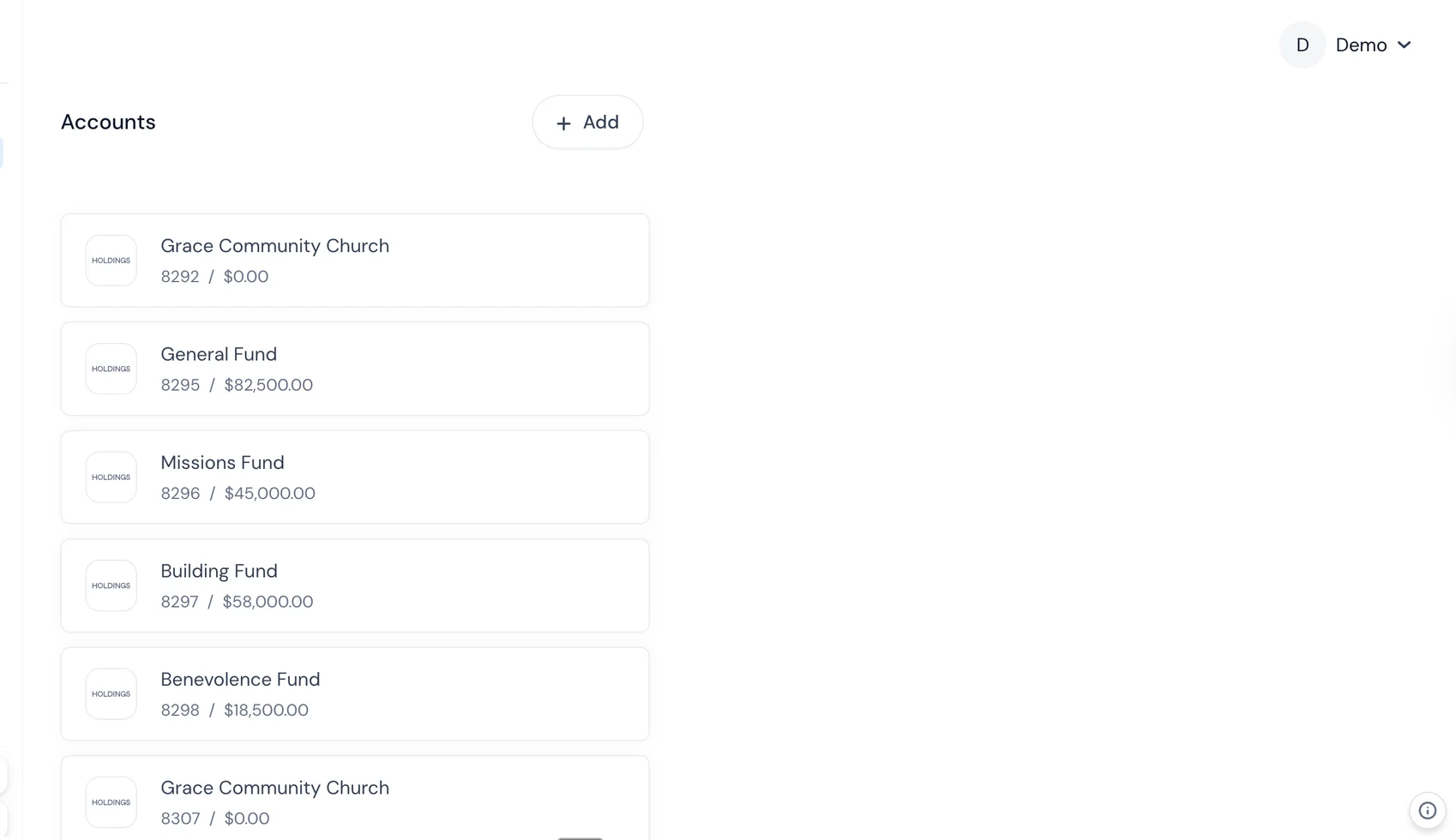
Built-in fund tracking. Create sub-accounts for each grant, campaign, or restricted fund. No spreadsheets required.
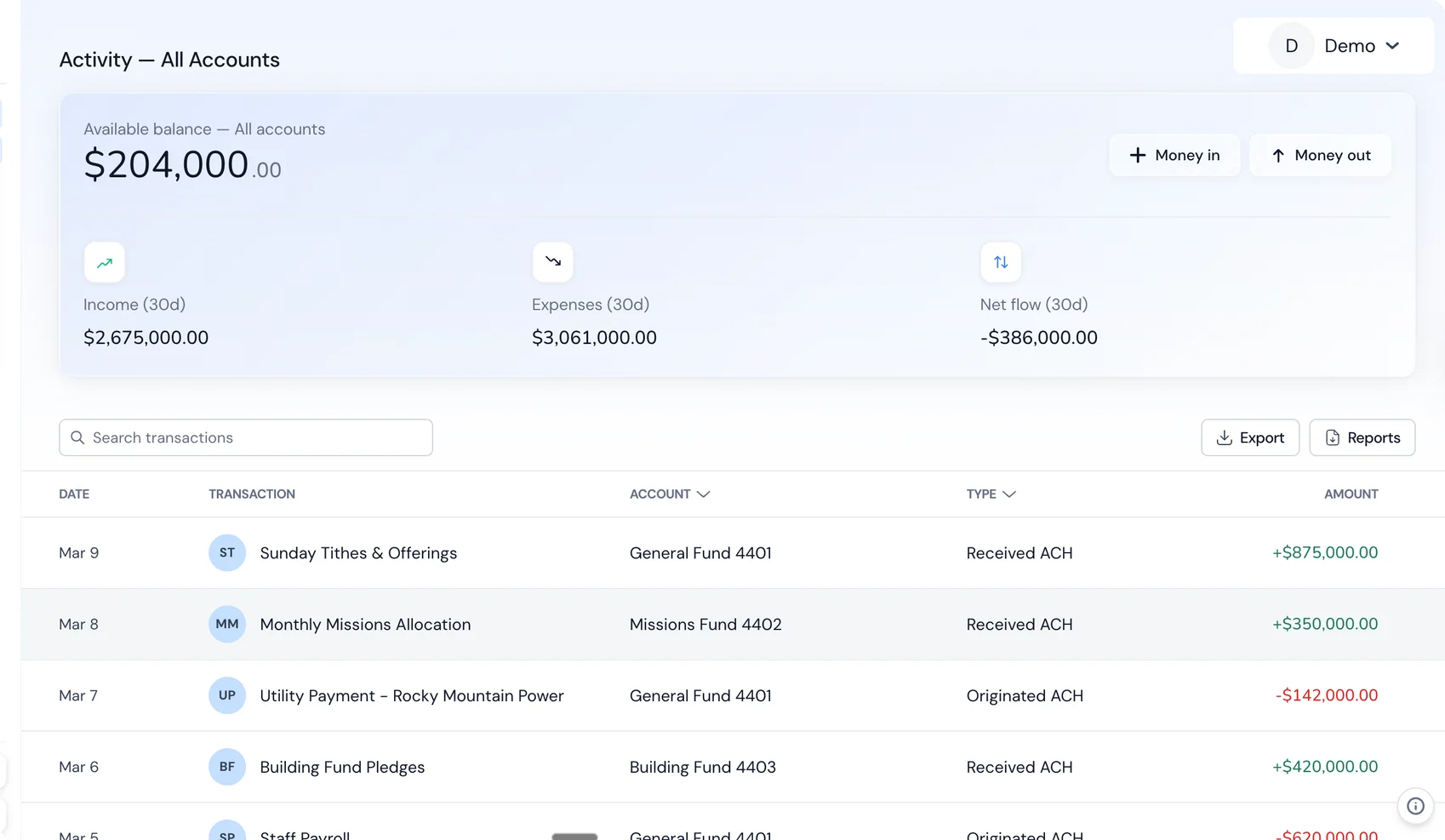
Multi-user access from day one. Your ED, treasurer, and bookkeeper each get their own login with appropriate permissions. No credential sharing.
Integrated accounting. Holdings includes nonprofit-specific accounting tools — not a generic QuickBooks integration, but actual fund accounting that understands how nonprofits track money.
Mobile deposit. Deposit donor checks from your phone. It works the way you'd expect.
Real-time transaction exports. Download your transactions in the format your accountant needs, whenever you need them.
Fast onboarding. Most nonprofits are up and running in days, not weeks. Bring your EIN, determination letter, and articles of incorporation — we handle the rest.
Related Reading
- [How to Set Up Multiple Bank Accounts for Nonprofit Programs](/resources/blog/how-to-set-up-multiple-bank-accounts-for-nonprofit-programs) — A step-by-step guide to structuring sub-accounts by program, grant, or fund.
- [Best Bank Accounts for Nonprofits in 2026](/resources/blog/best-bank-accounts-for-nonprofits-2026) — Side-by-side comparison of the top nonprofit banking options this year.
- [Best Bank Accounts for Churches in 2026](/resources/blog/best-bank-accounts-for-churches-2026) — Banking options tailored for churches and faith-based organizations.
- [Nonprofit Accounting Software Guide](/resources/blog/nonprofit-accounting-software-guide) — How to choose accounting software that works with your banking setup.
- [Holdings for Nonprofits](/solutions/nonprofits) — Banking + accounting designed for nonprofit organizations.
Frequently Asked Questions
Can a nonprofit use a regular business bank account?
Yes, and many do. But you'll miss out on nonprofit-specific features like fund tracking and may pay higher fees. Some banks offer dedicated nonprofit accounts with waived fees and tailored features — those are worth seeking out.
Do we need a separate account for each grant?
Not necessarily. If your bank supports sub-accounts or your accounting software handles fund tracking well, you can manage multiple grants from a single account. The key is being able to report on each fund separately, however you accomplish that.
What if we haven't received our 501(c)(3) determination letter yet?
You can usually open a business account with your EIN and articles of incorporation while your determination is pending. Some banks will convert it to a nonprofit account once you receive your letter. Others may want you to open a new account — ask upfront.
How many bank accounts does a nonprofit need?
At minimum, one operating account. Many organizations add a savings account for reserves. If you handle a lot of restricted funds, sub-accounts (rather than entirely separate accounts) are usually the most manageable approach. Some larger nonprofits maintain a payroll account as well.
Can we switch banks if we're unhappy?
Absolutely. It takes some coordination — you'll need to update your direct deposits, recurring payments, donor platforms, and accounting integrations — but it's very doable. Plan for a 2–4 week transition where both accounts are active.
What's the difference between authorized signers and account administrators?
Authorized signers can write checks and approve transactions. Account administrators can manage online banking settings, add users, and access statements. In many banks these overlap, but they're technically different roles. Make sure your board resolution covers both.
Do small nonprofits really need all these features?
Not all of them on day one. If you're a brand-new nonprofit with a $30,000 budget, start with the basics: zero fees, mobile deposit, and multi-user access. As you grow and start receiving grants, sub-accounts and integrated accounting become essential. Pick a bank that can grow with you so you don't have to switch later.
Is online banking safe for nonprofits?
Yes — online banks use the same security standards and FDIC insurance as traditional banks. In some ways, online platforms are more secure because they're built on modern infrastructure with features like real-time fraud alerts, two-factor authentication, and role-based access controls. The biggest security risk for most nonprofits isn't the bank — it's weak passwords and shared logins.
Related Guides
- Best Bank Accounts for Small Nonprofits — Accounts under $500K budget
- Nonprofit Accounting Software Guide — Complete software comparison
- How to Switch Business Bank Accounts — Step-by-step switching checklist
Frequently Asked Questions
What documents do I need to open a nonprofit bank account?
Most banks require your EIN letter from the IRS, articles of incorporation, bylaws, and a board resolution authorizing the account. Some also require proof of 501(c)(3) status and two forms of ID from authorized signers.
Can a nonprofit use a personal bank account?
No. Using a personal account for nonprofit funds violates IRS requirements for 501(c)(3) organizations and puts your tax-exempt status at risk. It also creates accounting nightmares and makes audits nearly impossible.
Do nonprofits pay bank fees?
It depends on the bank. Many banks offer free or reduced-fee accounts for nonprofits. Online banks like Holdings offer zero-fee business accounts that work well for nonprofits of any size.